
Hi-Kalibre Equipment's Document Portal Access
Thank you for choosing Hi-Kalibre Equipment as your supplier of premium valve and actuation solutions.
This page outlines how to view and download certification packages for your valves and actuators purchased from Hi-Kalibre Equipment.
Accessing the Document Portal
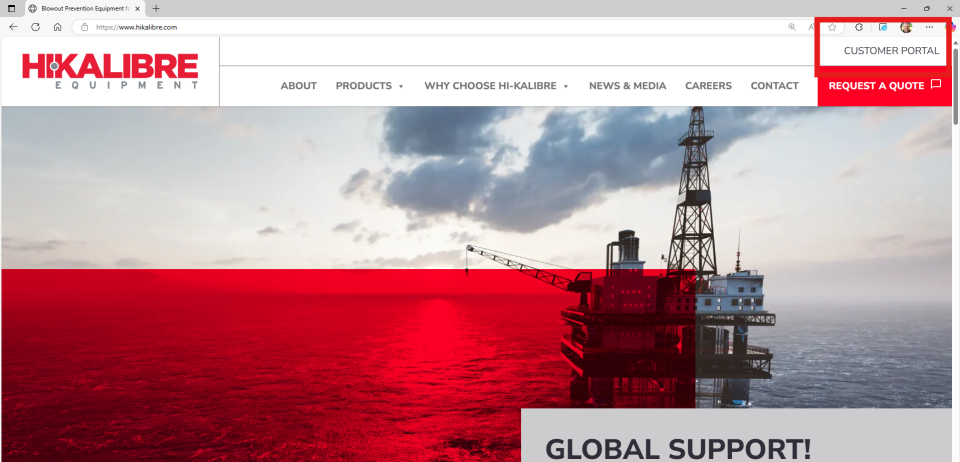
Go to www.hikalibre.com. Once on the site, click “Customer Portal” in the upper right corner to be taken to our customer document portal.
Setting up Microsoft ID
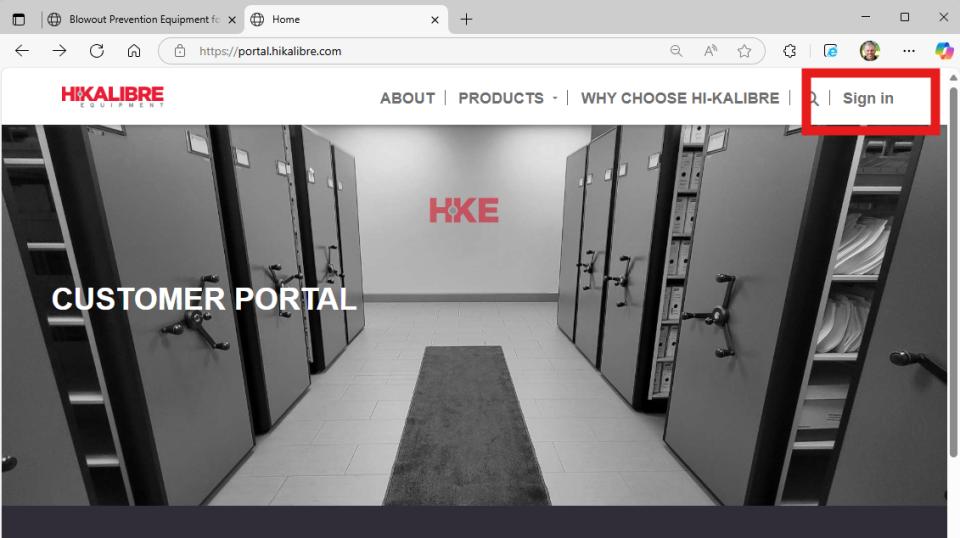
From the customer portal page, click “Sign in” in the upper right corner to register your Microsoft Entra ID on the portal.
At this stage it may ask you to fill in a few details and to save them with Microsoft.
See Your Specific Documentation
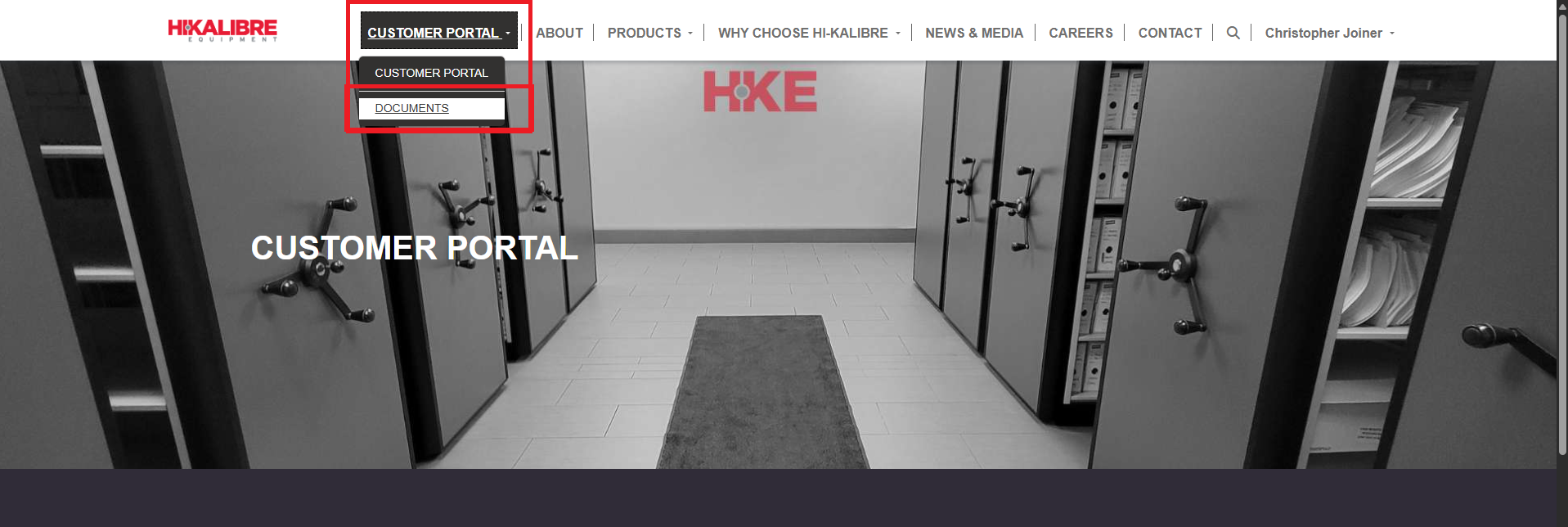
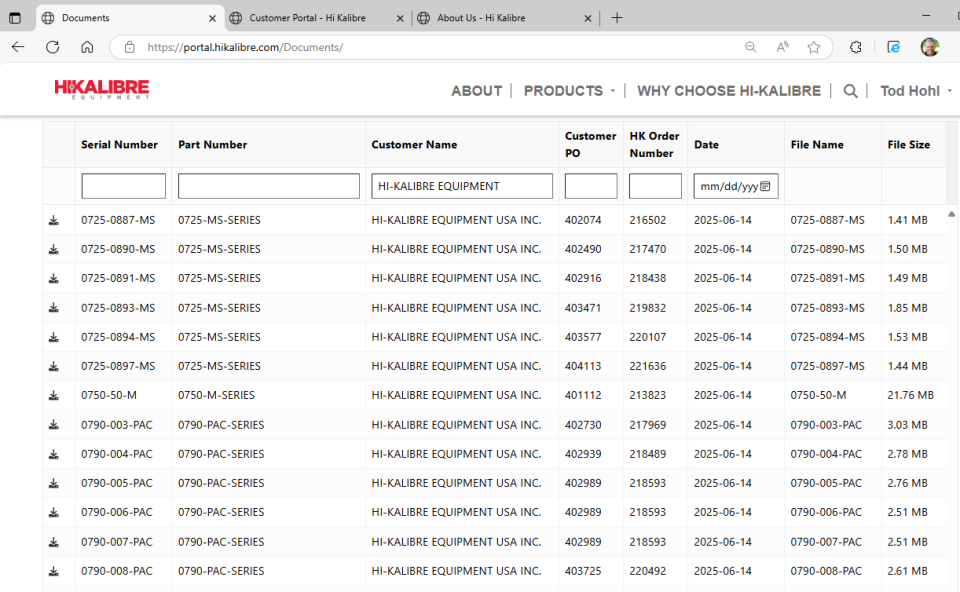
When you click on the “Documents” after signing in, it will take you to a tabular view of all the certification packages where your email address has been associated with the Customer ID in our ERP system. If you role is associated with multiple divisions or companies, you will see all of them in a single location.
Filter to See What You Need
From the tabular view, you can sort / search by Serial Number, Part Number, Customer Name, Customer PO, HK Order Number and Date.
View and Download Documents
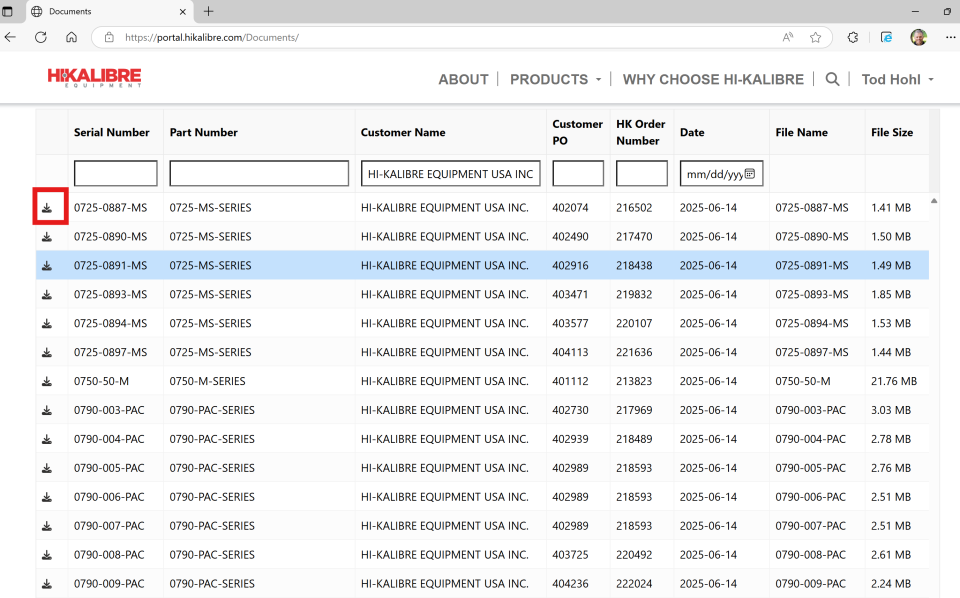
By clicking on the download icon, it will open up a new window containing the selected document. You can review the document in this window, or if you wish to download it to your computer, you can select the save icon in your browse window to save a local copy.

Thank you!
If you need any additional information or have issues while accessing the site, please contact your Hi-Kalibre Equipment representative for further assistance.